


Catch up in one read
A short summary of the whole conversation sits beside every ticket, with the customer's mood next to it.

Email, WhatsApp, chat, phone and social in one shared ticket list. SLAs, automations and a help center built in.
Answer customers on the apps they already use


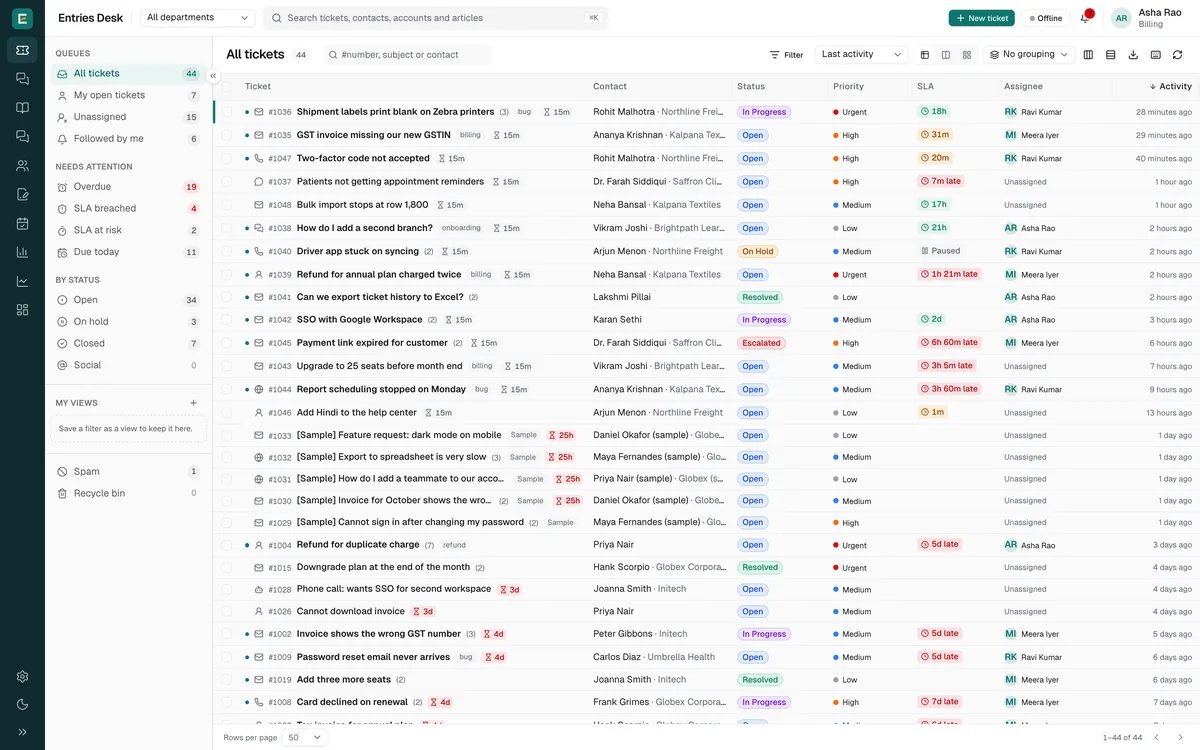
Switch views with one key. Group by status, priority, assignee, channel or SLA, and pick the columns each view shows.
Combine conditions on any field or tag, then save the result as a view and pin it for the whole team.
Select every ticket that matches, not just the page, and assign, tag or close them together. Export the view as CSV.
Desk shows who else has a ticket open or is typing, so two agents never answer the same customer.
Channels
Each message becomes a ticket with the same statuses, SLAs and owners, whichever app it came from.
See plans and pricingConnect Gmail, Outlook, Zoho Mail or any IMAP mailbox. Replies thread back into the ticket.

Connect through the Meta Cloud API and answer WhatsApp messages from the ticket.
Add a chat widget to your site. Answer Bot replies from your help articles first.
Take calls through Twilio, with an incoming-call popup while you work.

Direct messages and comments from your pages, connected with Facebook Login.
A ticket form for your site and a portal where customers follow their requests.
AI assistance Professional
Summaries, reply drafts, rewrites and triage, grounded in your own help articles and past tickets.
A short summary of the whole conversation sits beside every ticket, with the customer's mood next to it.
Draft a reply from the conversation, your help articles and similar resolved tickets. Desk shows what it used, and drafts never invent prices, dates or promises.

Improve, shorten, make it friendlier or more formal, or translate the reply into the customer's language.

New tickets get a priority, type, category and language before anyone opens them.
Customers get answers from your help articles in the help center and chat, with a link to the source.

Works with Anthropic, OpenAI or Azure OpenAI. Use our AI credits or bring your own key. Customer messages are treated as text to read, never as instructions.
Customer details, past tickets, SLA timers and private notes sit around every conversation. Canned responses and one-click macros help you answer faster.

SLA policies that follow your business hours, escalations when a target slips, round robin or skill-based assignment, and workflow rules that tag, route and reply.

Publish articles at /support that search engines can index, let Answer Bot reply from them, and add community forums and your own domain (Professional).

Backlog ageing, arrivals heatmap, agent workload, SLA trend, channel mix and more. Filter by team or agent, then save a report or have it emailed.

Bring your tickets from Zoho Desk, Freshdesk or Zendesk, and add light agents at no extra cost.
A question starts on WhatsApp, continues by email and ends with a phone call. Nobody sees the whole conversation, so the customer repeats themselves.
Two people answer the same customer, or nobody does, because ownership lives in a group chat instead of on the ticket.
Without response targets and reminders, the urgent ticket waits behind the easy ones. Desk puts the customer, the owner and the clock on every ticket.